
Originally published on www.apoint.co.il.
In 2026, continuing to run your business core on a local Access file is not only a technology bet. It is a complete stop of organisational growth. You surely know the frustrating moment when the system freezes because five users tried to update data at the same time, or the helplessness when you try to pull critical information from a smartphone and discover you are physically tied to a workstation in the office. Converting Access to the browser is no longer a luxury of giant companies. It is the most necessary strategic step for every business that aims to keep stability, information security and relevance in the dynamic cloud era.
We are here to make sure this move does not have to be an exhausting infrastructure project or involve the loss of expensive data. In this professional guide we will reveal the precise path to turn the local, outdated system into an advanced, secure cloud application that will be at least 3 times faster than your current performance. We will learn how to run full modernization while completely keeping the complex business logic and organisational knowledge you accumulated over the last decade. We will dive into the best 2026 work methods that will make your data accessible from every browser, at every moment, with no compromise on performance or user experience.
Key points
- Release the “weight”: turning an outdated local system into a flexible cloud application fitted to the hybrid-work era of 2026.
- Choosing the winning strategy: analysis of the three paths for converting Access to the browser with technology and budget precision.
- Measurable economic impact: calculating ROI and significant savings in maintenance costs, physical servers and work time within less than two years.
- From data to experience: the importance of data cleanup and modern UX characterisation for a perfect fit to smooth work from the browser and from mobile.
- Apoint expertise: a professional bridge between Legacy worlds and advanced WEB technologies to maximise business capabilities.
Converting Access to the browser: why your local system is a “weight” in 2026
Microsoft Access served businesses loyally for decades. It was a fast, available, cheap solution for building databases. In 2026, the business reality has changed. Hybrid work is the standard. The expectation of availability from every device is taken for granted. In this reality, a system based on local files becomes a strategic obstacle. It is slow. It is limited. It produces bottlenecks that hurt the business bottom line.
The main problem sits in the architecture. Access rests on file sharing on the local network. When an employee tries to access data remotely through a VPN or temporary sync solutions, performance collapses. Every simple query requires transferring large data volumes over limited bandwidth. The result is a waste of expensive time. Studies show that slowness in core systems causes a loss of up to 45 minutes of productivity a day per employee. In an annual calculation, this is a loss of thousands of ₪ for a small business and tens of thousands of ₪ for mid-size organisations.
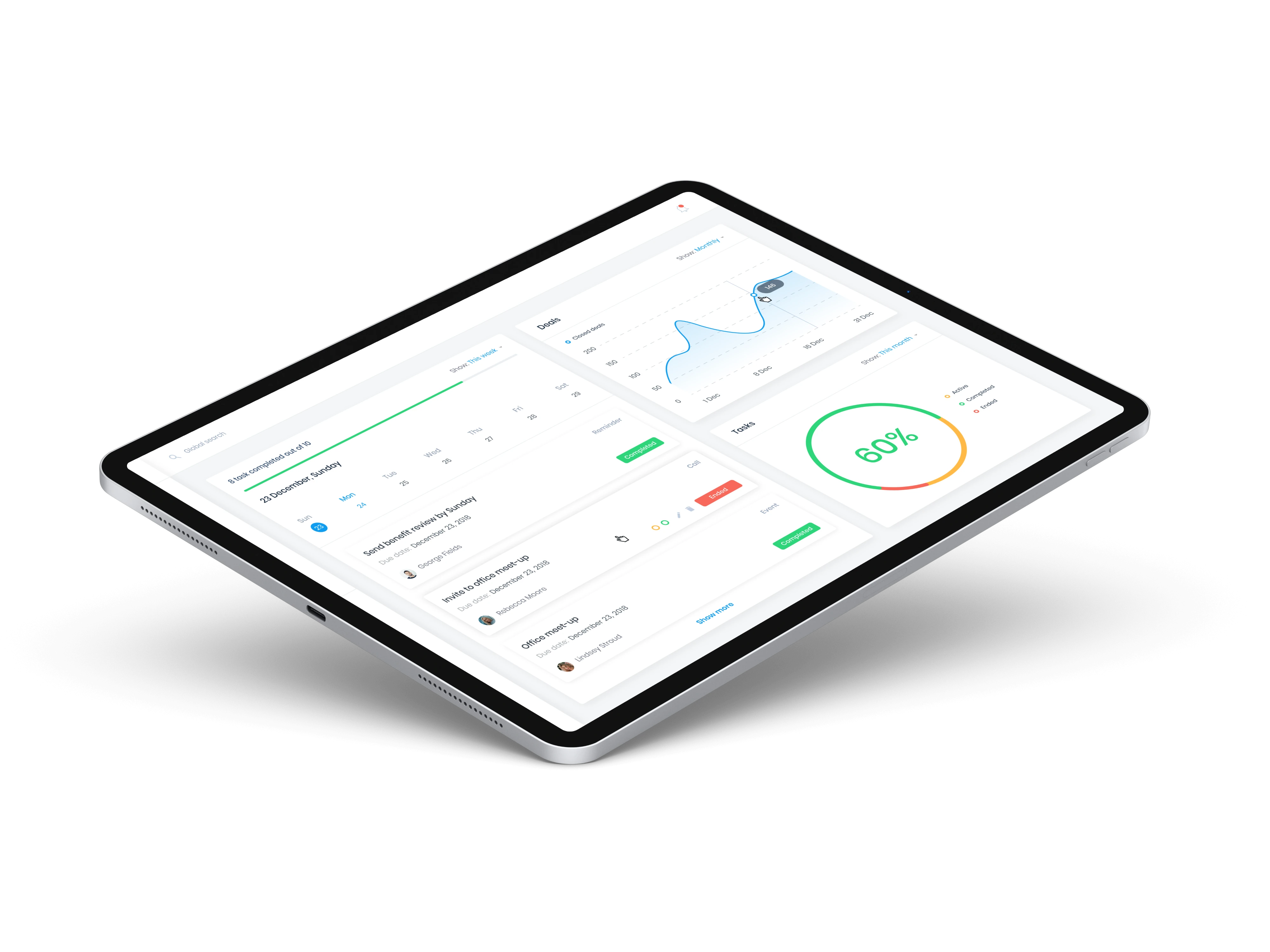
The modern solution requires a move to the structure of a browser-based system (Web Application). Here, the user’s computer does not process the data itself. The server does the hard work. The user receives only the final result on the screen. This is the difference between carrying the whole library on your back and reading one page on a smartphone. Converting Access to the browser is the only way to turn organisational information into a dynamic, accessible asset.
Warning signs: when is your system “shouting” that it needs conversion?
- The glass wall of performance: the moment the database crosses the 1 gigabyte threshold, Access response time rises significantly. Queries that take a few seconds become long minutes of waiting.
- Disconnect between branches: inability to sync data in real time between the office and field employees or remote branches. Solutions such as “remote desktop” are expensive, clumsy and require expensive server maintenance.
- Crashes and data loss: Access files tend to corrupt when too many users try to write data at the same time. Every such crash requires restore from backup and a full stop of work.
The business advantages of releasing the data from the office
The move to the cloud and the browser produces an immediate impact on organisational efficiency. We are talking about an improvement of up to 300% in the system’s response speed in remote work. There is no more need for local installations or manual version updates on every computer. Everything happens on the server, once, for everyone.
Information security takes a leap. In a traditional Access system, anyone with access to the file can copy it to a USB stick and walk out the door. In a process of converting Access to the browser, the information stays protected behind security layers, two-factor authentication and precise access control. In addition, the system becomes more “social”. It can connect easily to APIs of external services such as clearing systems, WhatsApp Business or advanced BI tools. Your data stop being an isolated island and become part of a whole technology array.
The three technology paths for converting Access to WEB
Choosing the right strategy in 2026 is the difference between a temporary solution and a business growth engine. A process of converting Access to the browser always starts with a decision on the infrastructure. Regardless of the chosen path, moving the database to SQL Server is a threshold condition. This is the move that guarantees stability, enterprise-level information security and scalability that the local file simply cannot supply.
The decision on the technology path is derived from the complexity of the business logic, timelines and budget. Organisations in Israel must balance the need for a fast solution against the ambition for full modernization. The importance of modernization in core systems becomes critical as market competition grows and the need for accessibility from anywhere becomes a required standard.
Path 1: hosting Access in the cloud (Remote Desktop)
This is the fastest solution, sometimes called a “Quick Win”. Instead of rewriting the code, the existing system is installed on a secure virtual server in Israel. Users connect to the familiar Access interface through a browser or an RDP application. The average monthly cost for such a server ranges around ₪800 to ₪2,500, depending on the number of users and system resources. The advantage is zero development time. The disadvantage is the lack of a native WEB interface and dependence on traditional Microsoft licensing.
Path 2: hybrid model (SQL Backend + Access Frontend)
In this path, we cut the Gordian knot between the data and the interface. The data moves to SQL Server in the cloud, while the user interface stays in Access. This is an optimal solution for systems that include tangled business logic written in VBA over years. The hybrid model improves network performance by at least 40% and prevents Data Corruption. It allows work against one central database from every company branch, while keeping a zero learning curve for employees.
Path 3: full WEB application development (Vue.JS / React)
The most fundamental path for converting Access to the browser. Here we rebuild the user interface in advanced WEB technologies such as Vue.JS or React. The system becomes an independent digital asset, accessible from a smartphone and designed according to modern UX/UI principles. This is a strategic move that frees the organisation from dependence on installed software. The system becomes flexible, infinitely expandable and interfaces easily with external APIs. This is the highest standard of technology precision.
The move to the cloud requires precise planning of the user experience and a deep business understanding. If you are looking for a partner who knows how to refine your needs into a winning technology solution, it is worth examining a custom modernization strategy that will jump your business forward.
- Implementation speed: Path 1 is the winner (a few days).
- Future flexibility: Path 3 wins by a wide margin.
- Data stability: Paths 2 and 3 supply the same security level thanks to SQL Server.
ROI analysis: is the move to the browser really worthwhile for your business?
An investment in technology is not an expense. It is an engine for business growth. When examining converting Access to the browser, the main question is not “how much does it cost”, but “how much money does the business lose every day it stays behind”. Our experience shows that within 24 months, most businesses discover that the return on investment (ROI) does not only cover the project cost, but produces clean profitability through efficiency and operational precision.
ROI calculation is based on weighing direct costs against lost productivity. Staying in a Legacy system creates a hidden “technology tax”. It shows up in expensive work time of employees waiting for data to load, in manual repair of human errors that come from lack of sync, and in the inability to respond to market changes at the speed required in 2026.
Direct operational savings after conversion
The move to the cloud and the browser cuts maintenance costs immediately. Field data points to a 40% reduction in sync faults and data loss that characterise shared Access files. There are no more corrupted MDB files or error messages about an inconsistent database. The saving shows up on three main planes:
- Cancelling the need for expensive software licences on every endpoint in the organisation.
- Cutting about 50% of the technical-support hours required to maintain outdated ACCDB files.
- Stopping dependence on local physical servers, which saves electricity, air-conditioning and periodic hardware-upgrade costs.
Business growth thanks to accessibility and digitisation
The real added value of converting Access to the browser is removing the barriers to growth. A business that is no longer tied to the physical office can recruit talent from across the country, which allows full employment flexibility. Accessibility from a smartphone turns every salesperson in the field into someone updated with live data, with no need for clumsy VPN connections that tend to disconnect.
In addition, modernization opens a door to a natural connection to external systems. You can easily embed advanced credit-clearing interfaces, personal portals for customers and an automatic connection to invoicing systems. All of these improve the service experience, raise the customer-retention rate and produce a clear competitive advantage in the Israeli market.
Real-time data-based decision making (Real-time BI) is the final stage of the revolution. In traditional Access, producing complex reports takes a long time and is often based on data that is already no longer relevant. In the browser, the information flows live. The manager sees the Impact of every decision the moment it is performed. This is management precision that replaces gut feelings with hard data, and this is the secret ingredient in a fast, significant return on investment.
How do you do this correctly? Conversion stages from characterisation to go-live
Converting Access to the browser is not a technical “copy-paste” action. It is a surgical process in which an outdated work tool becomes a modern growth engine. In 2026, the expectation from an information system is not only to store data, but to produce insights in real time from every device. To make sure the move goes smoothly, we act according to an ordered methodology that prevents critical faults the day after.
The first and most important stage is prior data cleanup. Duplicate data, empty fields or broken logic that were tolerated in the local Access environment can cause queries to crash in the cloud. We clean the database and prepare it for an optimal table structure. In parallel, we redefine the user experience (UX). The old Access interface makes way for responsive design, fitted to intuitive work in the browser and on mobile.
Principles of a professional move:
- Zero Downtime strategy: using parallel data sync that lets you keep working on the old system until the moment of the complete move, with no shutdown of the business.
- Strict QA tests: running edge scenarios to make sure every complex formula that was in VBA is translated precisely into the new Web code.
- Performance optimization: fitting queries to work against a remote server to prevent Latency in the user experience.
Characterisation and strategic planning stage
The process starts with a deep dive into the existing logic. We analyse the VBA code and decide which functions to keep and which to improve with new technologies. Performing a precise information-system characterisation makes sure the final product will serve your business goals in 2026 and not only recreate the past. Special emphasis is placed on defining strict cloud information-security protocols, including end-to-end encryption and advanced permission management.
Development, integration and embedding
At the development stage, we move the database to a powerful SQL Server. This is a move that improves data-processing speed by up to 45% compared with traditional Access. The Frontend is built in modern WEB technologies that give users a fast, sharp interface. After development ends, we do not only “hand over” the system. We accompany the organisation in a structured training process. Gradual embedding lets employees adapt to the change with confidence and guarantees full adoption of the new system within a short time.
Converting Access to the browser is a strategic step that gives the organisation technology calm for years ahead. The mix of careful planning and uncompromising technology execution is the key to success.
Want to lead your system into the cloud era? Contact Apoint specialists and we will start characterising the precise solution for you.
A Point Systems: your experts for converting Access to the browser
For over 15 years we at A Point Systems have been cracking the most complex systems built on Microsoft Access. Our accumulated experience lets us take VBA code and branched data tables and turn them into fast, secure, modern cloud applications. We bridge the gap between the Legacy world and the most advanced WEB technologies of 2026, with a deep understanding of changing business needs.
Our expertise is double. On one side, absolute command of the unique data structure of Access. On the other, expertise in modern cloud architecture. This mix guarantees a process of converting Access to the browser that is performed with no information loss and while keeping the business logic that made your organisation successful. We do not only write code. We build growth solutions tailored to the DNA of your business.
Our accompaniment is personal and close. It starts from the idea and characterisation stage, continues through the whole development process and reaches ongoing support of the new system. We believe in precision and transparency, so every project is managed at the highest standards of quality and technology precision.
Why choose us to upgrade your system?
Choosing A Point Systems guarantees you technology peace of mind. Our unique expertise in Microsoft Access development does not stop at maintenance only. We mix in innovation that lets veteran systems function in a competitive digital environment. Our work process includes improving performance of complex databases, which guarantees fast response times even against huge information stores. In addition, we supply an end-to-end solution that includes hosting Access in the cloud and long-term technical support.
Your next step toward the cloud
A successful conversion starts with a professional, precise diagnosis. We invite you to set a consulting meeting to diagnose the existing system and define an optimal conversion path. During the meeting we will analyse the organisation’s needs and build a technology roadmap for you that includes a precise budget estimate, with no surprises on the way.
- Initial diagnosis: analysis of the data structure and existing logic.
- Strategic planning: defining the most suitable cloud architecture.
- Execution and accompaniment: a gradual, controlled move into the browser environment.
Join hundreds of businesses in Israel that have already released their information from local limits and jumped their business growth. Converting Access to the browser is not only a technical upgrade. It is your way to make sure the business stays relevant, accessible and efficient in the cloud era.
Jumping forward: turning data into a digital growth engine
In 2026, data is the organisation’s most important asset, but it is worthless if it stays trapped inside outdated, limiting local infrastructure. The move to the cloud is not a passing trend. It is a critical strategic decision that separates businesses that freeze in place from those that choose to break forward toward technology innovation. Converting Access to the browser is the key to releasing that potential, while creating full operational flexibility and information security at the strictest standards. Fast performance and accessibility from every device have long since stopped being a privilege. They are the necessary base for efficient, competitive work in the modern market.
At A Point we bring deep expertise in SQL Server and Access accumulated over many years of work, starting in 2011. Our Vue.JS and WEB development team is made of first-line professionals, skilled in creating sharp, precise interfaces that turn complex data systems into winning digital products. We build secure cloud solutions fitted exactly to the unique needs of businesses in Israel. Our process does not stop at a technical migration. It is building a quality user experience that raises your business value immediately. Your data deserves strong infrastructure that supports your growth and broadcasts power, precision and innovation in every action.
Contact A Point specialists to convert your system today
Questions and answers on converting Access systems
Can I convert Access to the browser without losing my complex VBA code?
VBA code does not run in the browser naturally, so it goes through a full translation into modern languages such as JavaScript or C#. In a process of converting Access to the browser we keep all the complex business logic while improving performance by at least 300%. The new system keeps the familiar functionality but is released from the memory limits and crashes of old Access.
How long does an Access-to-WEB conversion project take on average?
An average modernization project lasts between 12 and 24 weeks, depending on the number of tables and the complexity of the interfaces. According to 2025 market data, about 85% of businesses complete the full move in less than 6 months. The timeline includes precise characterisation, development, data migration and a run-in period to guarantee zero faults in the move to the cloud.
Will the new system be more secure than the current local system?
The new system will be significantly more resilient thanks to advanced encryption protocols and two-factor authentication (MFA). Unlike local Access files that are exposed to copying or ransomware, cloud work in 2026 meets strict ISO 27001 standards. Your business information is stored on fortified servers with automatic backups, which cuts the risk of data loss by 99%.
Will I be able to keep using my familiar Access reports in the browser too?
The old Access reports are upgraded to modern visualisation tools that display data in real time. Users receive the same familiar data and formats, but with advanced export capabilities to PDF and Excel in one click. The reporting experience becomes fast and accessible from anywhere, with no need to install local software on the computer.
What is better for my business — cloud hosting or full WEB application development?
Developing a full WEB application is the correct strategic solution for long-term growth and operational precision. While cloud hosting of an existing file is a temporary, limited solution, rebuilding allows full technology flexibility and a 45% saving in maintenance costs over time. This is the move that will give your business real impact and a competitive advantage in the digital market.
Will the system work smoothly from a smartphone and tablet too?
The system will work perfectly from every endpoint thanks to HTML5 technology and responsive design. A process of converting Access to the browser makes the system accessible from the field, which raises the productivity of work teams by 60% on average. There is no more dependence on the office computer. The information is available, fast and tailored to your screen size.
What happens to my historical data in the conversion process?
All historical data goes through a full, precise migration to a powerful SQL Server database. The process includes data cleanup and optimization of table structure to guarantee maximum information integrity. Your old information is kept in full but becomes accessible and much faster to search inside the new infrastructure.
Do I need to upgrade my office server before the move to the browser?
There is no need for a local hardware upgrade because the system moves to a managed cloud architecture. The move to the browser removes the need for expensive server maintenance, hardware-licence purchases and manual backups. Your business becomes light and flexible, while all computing resources are managed remotely at the highest standards of 2026.